mini-AlbertCode is a second agent on the AlbertCode engine. Our main agent is AlbertCode SWE Agent, which adds a VS Code panel and documents the repository contract, the evidence ledger, requirements, architecture and browser tests. Compare them
mini-AlbertCode SWE Agent
One coding agent, in your terminal and your browser.
mini-AlbertCode carries the AlbertCode engine — planning, the isolated copy, the checks, the reviews and the approval gates — and puts two interfaces on it: a full-screen terminal and a browser workspace, over one local service, so a session is live in both at once.
Or plan a first run in the run planner.
Overview
What it does for you.
Two interfaces, one live session
The terminal and the browser show the same sessions at the same moment. An answer given in one is seen at once in the other.
Approval built in
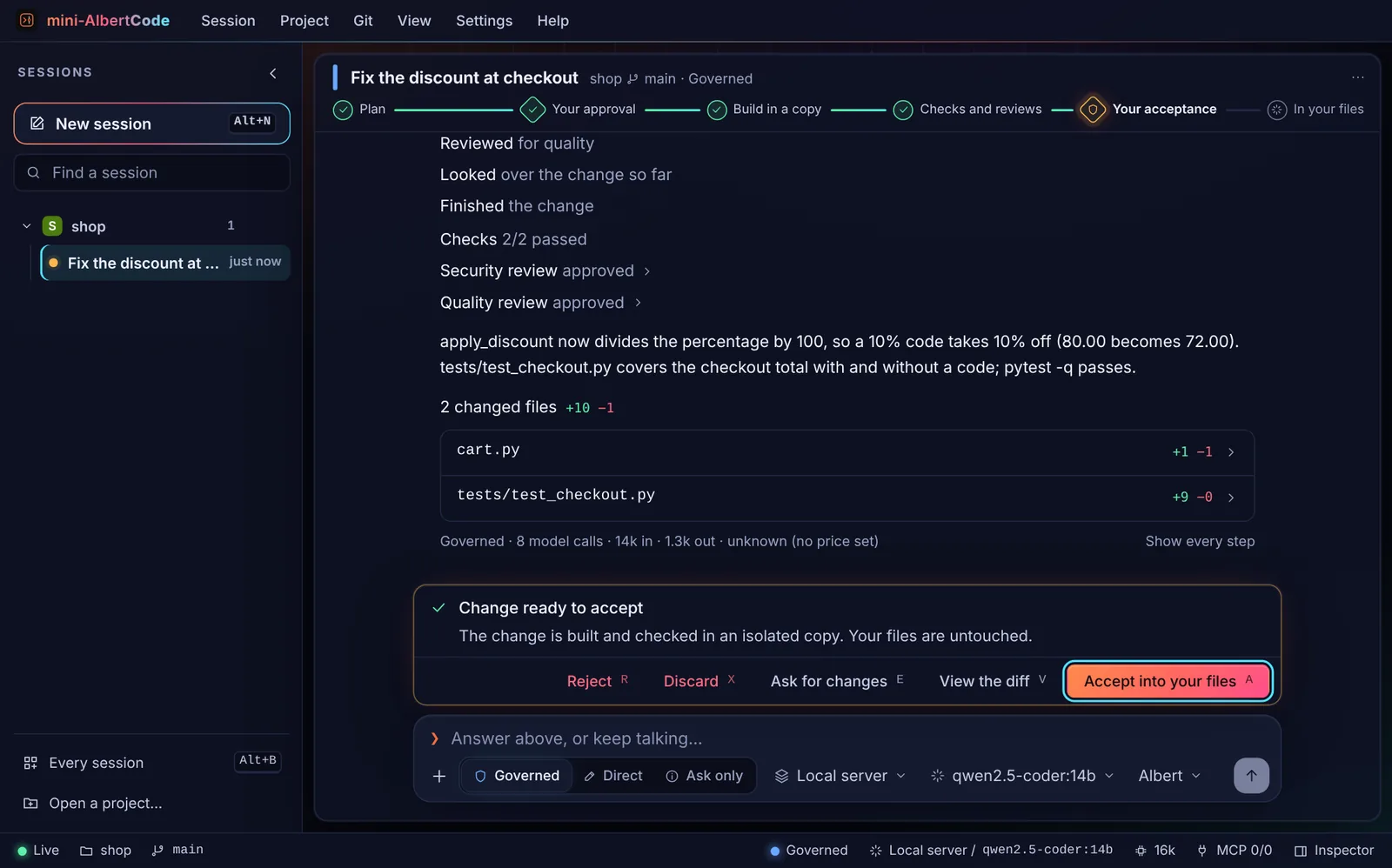
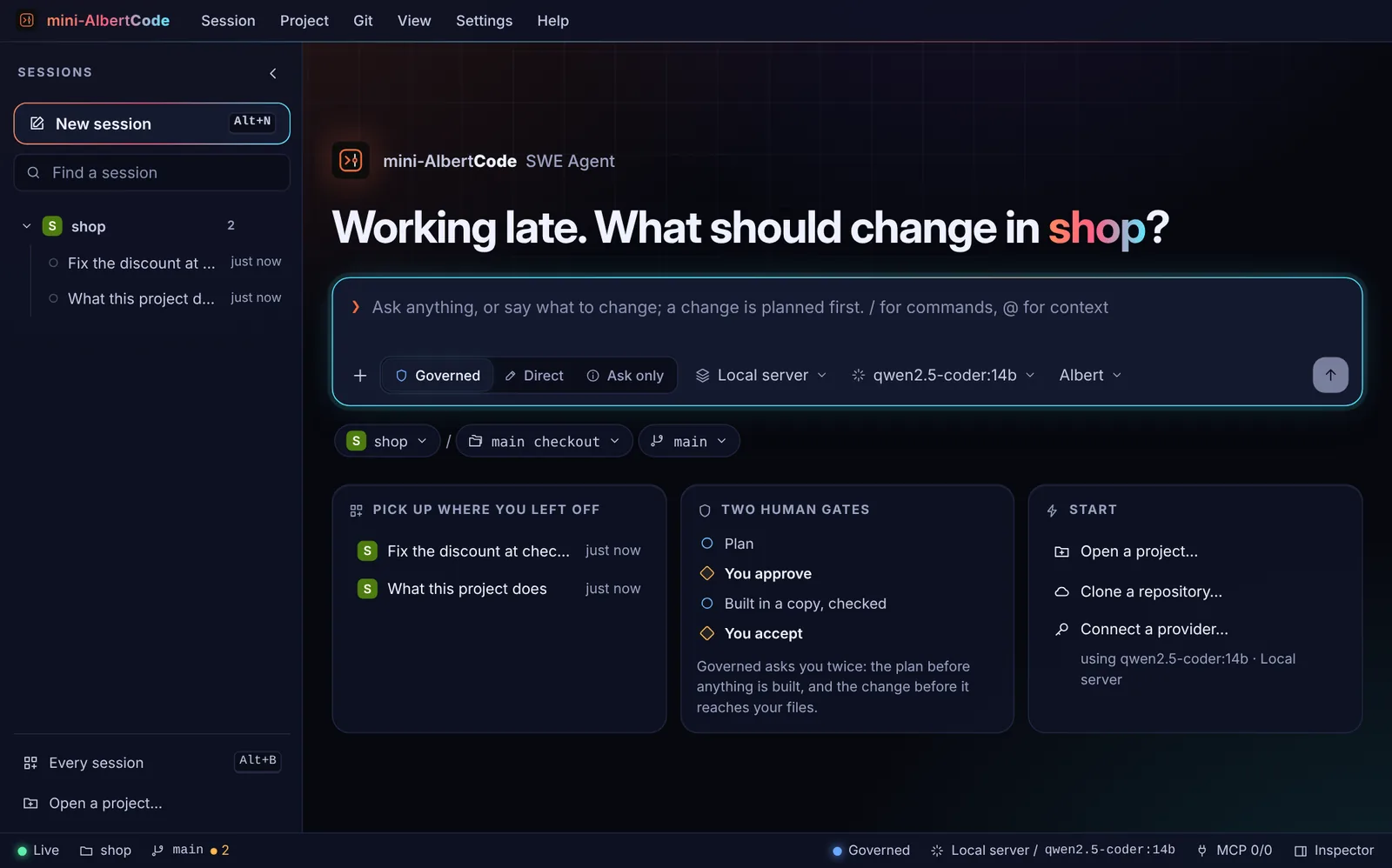
Two decision points, at the plan and at the result, each answered with a key — the same key in both interfaces.
Proven, not just written
The AlbertCode engine runs your project's own tests and checks, and reviews the change for security and quality.
Four modes
Governed, Direct · ask each write, Direct · auto-approve, and Ask only. Tab cycles them in the terminal.
Any model
OpenRouter, OpenAI, Anthropic, Kimi, Hugging Face, any OpenAI-compatible service, or a local model server.
Private by default
Runs on your machine, with no account and no telemetry. The service needs this installation's access token.
In the product
The product itself, not renderings.
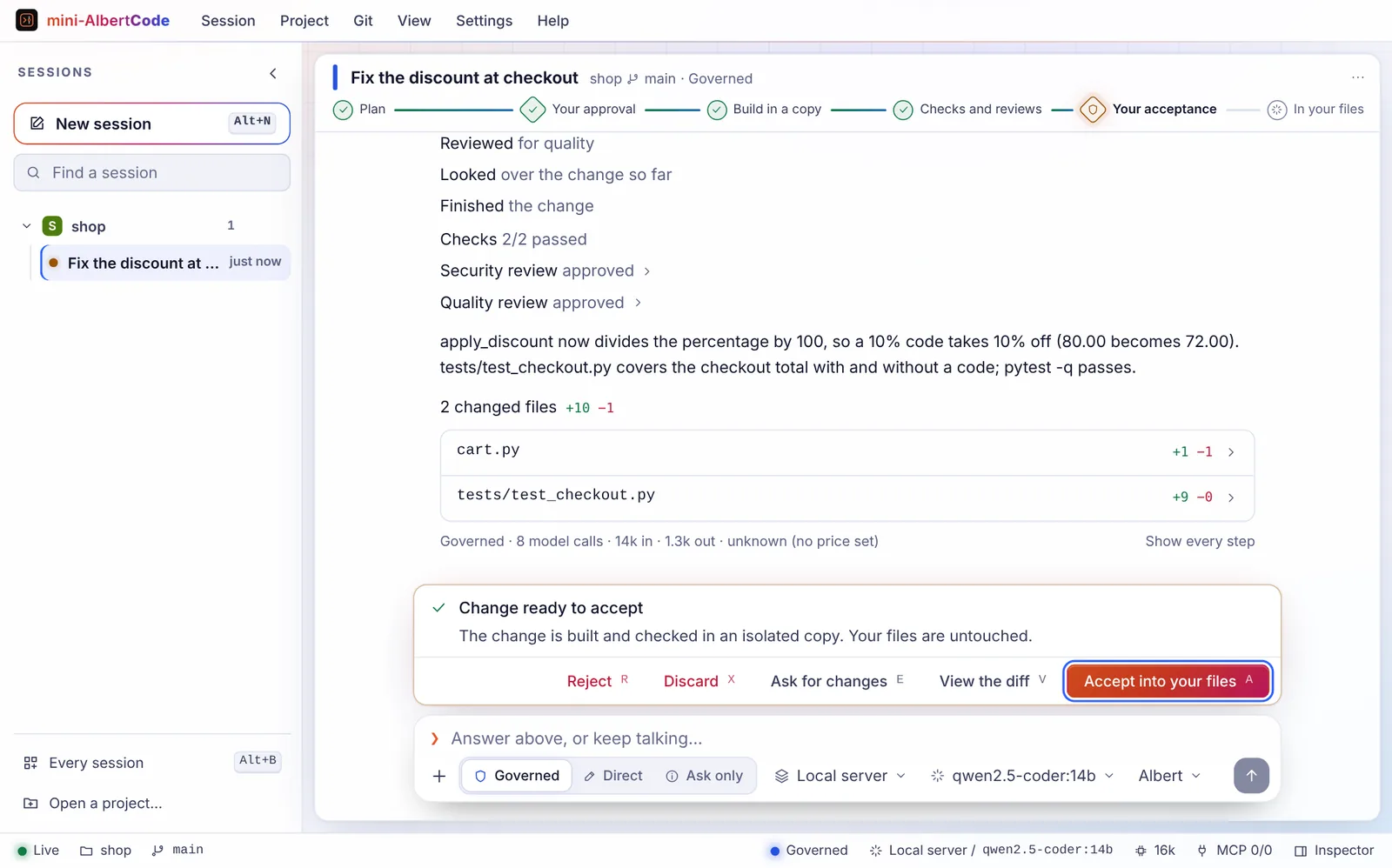
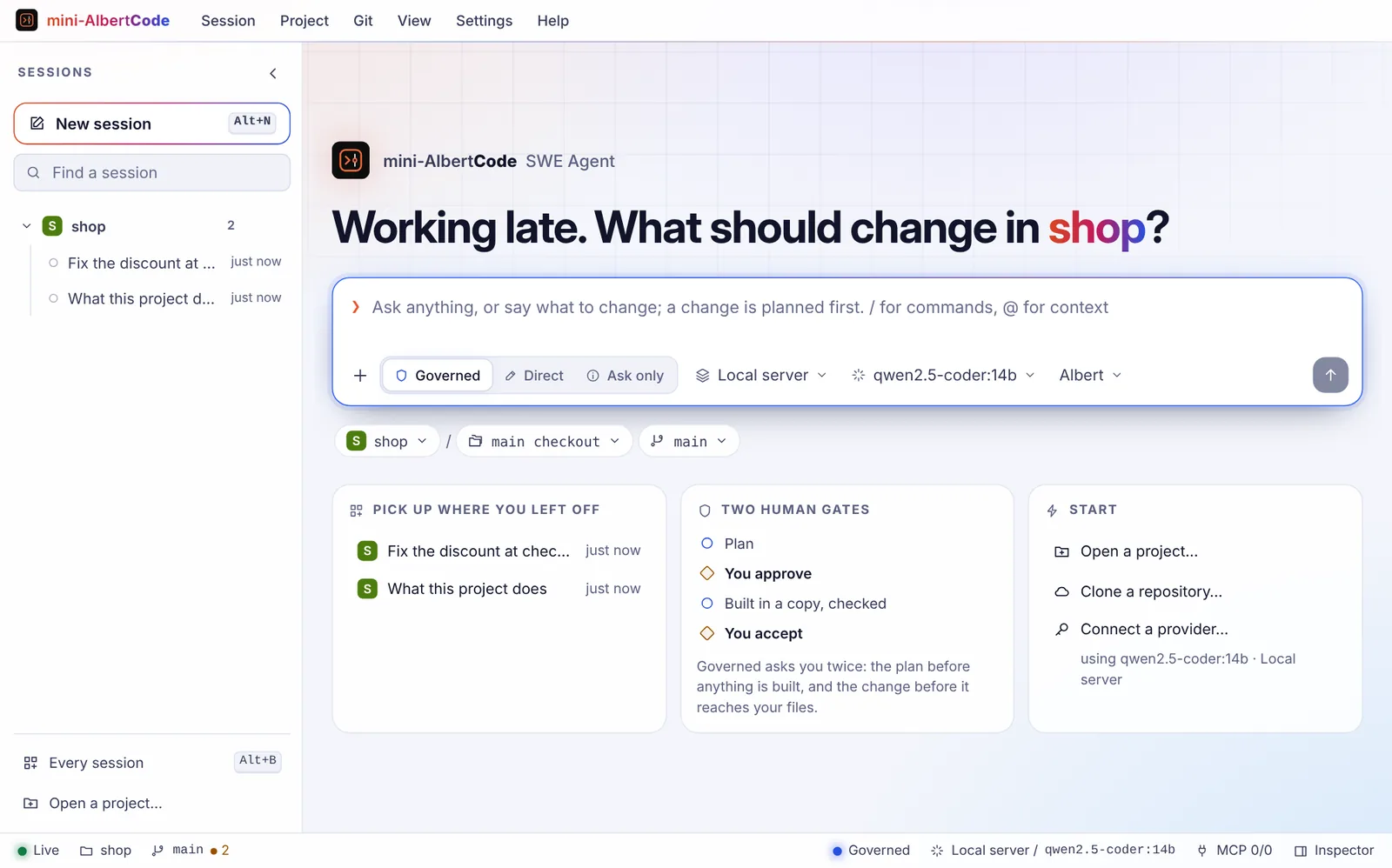
Captures of the mini-AlbertCode SWE Agent interface from its README, following one task in a demo project. Each is shown in your current theme.
Technical capabilities
Interfaces, modes and commands.
Interfaces
- Terminal
albert-miniA full-screen conversation where you already work. --mini keeps it inline in the lower part of the terminal.
- Browser
albert-mini webReading plans and diffs side by side; every project's sessions in one list; Git and worktrees from the menus.
Modes
- GoverneddefaultChanges you care about
You approve a plan; it works in an isolated copy, runs your tests and reviews the result; you approve the diff.
- Direct · ask each writeQuick changes you are watching
Works in your files, and every write waits for your OK. Git is the undo.
- Direct · auto-approveSmall, safe changes
Works in your files and carries the change out without asking. Git is the undo.
- Ask onlyUnderstanding a codebase
Answers, and offers a change; nothing starts until you say go.
Everyday commands
/connect- Connect a model provider: its key, or the address of a local model
/model- Choose a model
/plan <request>- Start a governed change
/do <request>- Change your files directly, asking before each write
/sessions- Open, rename, pin or delete sessions
/diff- This session's change, or your working tree's
/web- Open this session in the browser
/help- Every command
From a script or CI
albert-mini run "what does this project do?"albert-mini run "add a health check endpoint" --approve plan,resultalbert-mini run "add a test for cart totals" --approve all --json| Exit code | Meaning |
|---|---|
| 0 | Done: answered, or the change was applied |
| 1 | Failed, or the change was rejected |
| 2 | Refused: a wrong option, or nothing that could run it |
| 3 | Stopped at a gate --approve did not cover: answer it in either interface |
| 124 | Timed out |
Source: docs/commands.md#run
Architecture
One local service. Everything else is a view of it.
mini-AlbertCode is one service on your machine, listening on 127.0.0.1:8778. It starts by itself the first time an interface needs it and keeps running, so closing a window never stops a task. albert-mini status says whether it is running; albert-mini stop stops it.
Both interfaces show the same sessions at the same moment. Sessions belong to the service, not to a window: rename, pin, fork, stop, archive, export or import them from either interface, and albert-mini -c continues the latest one in a folder.
It carries the AlbertCode engine and keeps its own command, port, folders, keys and sessions, so it can be installed beside AlbertCode SWE Agent with nothing shared. To use a service running elsewhere, albert-mini attach <url> opens the terminal on it; a service started with serve --host requires authentication.
From docs/how-it-works.md and docs/commands.md.
Gates
Every answer has a key — the same key in both interfaces.
A gate is where a change waits for you. An answer given in the terminal is seen at once in the browser, and a task is never answered twice.
The plan
- A approve and build
- E ask for changes
- D read the whole plan
- R reject
The result
- A accept into your files
- V view the diff
- E ask for changes
- X discard
- R reject
A write (Direct · ask each write)
- A allow once
- Shift A allow the rest of the task
- N decline
A change offered (Ask only)
- P plan it first
- O do it directly
Side by side
How it compares with AlbertCode SWE Agent.
Facts from each repository. Where mini-AlbertCode's documentation is silent, the table says so instead of guessing. Neither is claimed to be faster, cheaper or lighter. They install side by side, with nothing shared.
| Feature | AlbertCode SWE Agent | mini-AlbertCode SWE Agent |
|---|---|---|
| Getting it | ||
| Command | albertcode | albert-mini |
| Latest documented release | 1.54.1 (15 Oct 2026) | 0.1.11 |
| Install | One-line installer, or a downloaded installer per OS | One-line installer, or a downloaded installer per OS |
| Update | Run the install command again | albert-mini update (or run the install command again) |
| Git | Recommended; Direct mode needs it | Needed; installed after asking if missing |
| macOS | A current macOS, Apple silicon or Intel | macOS 11 or later, Apple silicon or Intel |
| Cost | No charge for model usage: your provider account, or a free local model | No charge for model usage: your provider account, or a free local model |
| Working with it | ||
| Interfaces | Terminal, browser, VS Code | Terminal, browser |
| Shared live sessions | Terminal and browser share sessions | Terminal and browser show the same session at the same moment |
| Modes | Governed, Direct (ask each write or auto), Ask only | Governed, Direct · ask each write, Direct · auto-approve, Ask only |
| Two human gates | Plan and diff | Plan and result |
| Isolated copy, your tests, security and quality reviews | Yes | Yes — it carries the AlbertCode engine |
| One request from a script | albertcode run, plus create / approve / diff / accept | albert-mini run, with documented exit codes |
| A service run elsewhere | albertcode --url <service> --api-key <key> | albert-mini attach <url>; albert-mini serve --host |
| Documented features | ||
| Repository contract (albertcode.contract.toml) | Yes | Not in its public docs |
| Hash-chained evidence ledger and compliance export | Yes | Not in its public docs |
| Requirements and architecture pages | Yes | Not in its public docs |
| App preview beside the chat | Yes, with edit-by-clicking | Yes |
| Browser tests (Playwright) | Yes | Not in its public docs |
| MCP servers | Yes — connectors gallery, 88 as of 1.53.0 | Yes — 105 connectors ready to add as of 0.1.11 |
| Custom commands and agents (Markdown) | Yes, plus plugins, saved tools and skills | Yes |
| Published benchmark | SWE-bench Pro HARD-51: 39/51, self-reported | None published |
From each repository's README, docs and changelog. “Not in its public docs” means the documentation doesn't say — not that the feature is absent.
Install
Prerequisites and installation.
The installer checks your machine, shows its plan and asks before it changes anything. It installs for your user only, in an environment of its own.
Install mini-AlbertCode SWE Agent
for your user · asks before changing anythingcurl -fsSL https://raw.githubusercontent.com/- Open Terminal (⌘ Space, then type Terminal), paste the command, read the plan, then type Y.
- Open a new Terminal window when it finishes, then run albert-mini --version.
Then check it
Open a new terminal first, so it picks up the command.
albert-mini --versionPrints its version and the AlbertCode engine version it carries.
albert-mini doctorChecks the installation and the service, and says what to do about any problem.
albert-mini models testOne tool-calling request to the chosen model.
Update
albert-mini updateReads the latest release, checks its installer against the release's SHA-256 and runs it. Your sessions are always kept.
Uninstall
albert-mini uninstallAsks first. --all also removes settings, saved keys, sessions and history; --check only shows the plan. Your repositories are never touched.
Prerequisites
- Windows
- Windows 10 or 11, x64 (the x64 build also runs on ARM PCs). PowerShell 5.1 or 7.
- macOS
- macOS 11 or later, on Apple silicon or Intel.
- Linux
- x86-64 with glibc: Ubuntu 20.04+, Debian 10+, Fedora, RHEL 8+, openSUSE, Arch. Not Alpine or other musl systems.
- Disk
- About 1 GB free.
- Network
- pypi.org and github.com while installing; your model provider while working.
- Git
- Needed. The installer installs it if it is missing, after asking.
- Python
- Not needed. The installer uses your Python 3.12 if present, otherwise downloads one for mini-AlbertCode alone.
Prefer a download?
The installers aren't code-signed yet, so macOS Gatekeeper and Windows SmartScreen warn the first time; the one-line command avoids both. Check a download against the release's SHA256SUMS.
- Latest release
- v0.1.11
- Published
- 13 Oct 2026
- Repository updated
- 13 Oct 2026
- Command
albert-mini
Source and support
Everything else lives on GitHub.
- RepositoryThe installers' bootstrap, the documentation and the releases. (opens in a new tab)
- ReleasesInstallers for each system and SHA256SUMS. (opens in a new tab)
- DocumentationEvery command, key and gate, with examples. (opens in a new tab)
- ChangelogEvery release, newest first. (opens in a new tab)
- IssuesBugs and feature requests. Never include keys or private code. (opens in a new tab)
- SecurityReport vulnerabilities privately through the Security tab. (opens in a new tab)